Features/Streaming
Any Windows app,
in a browser tab
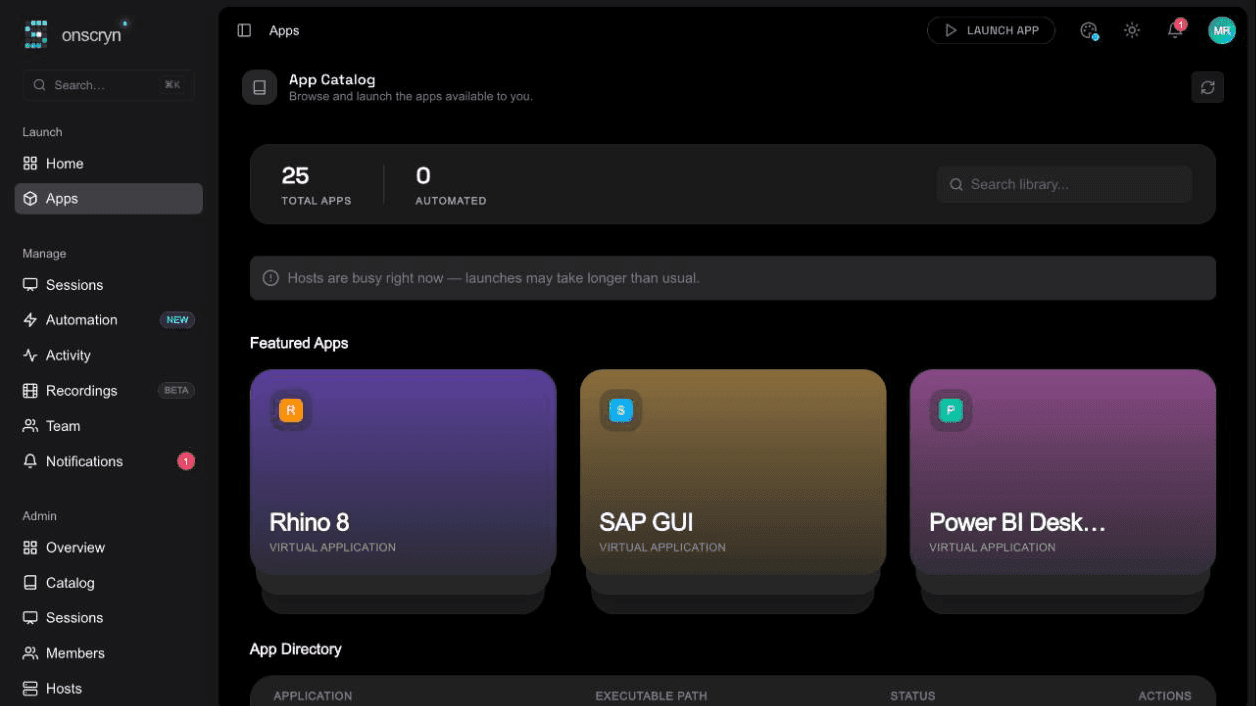
Publish a Windows application or a whole desktop and open it from a link. It runs on a managed host and reaches the browser as live pixels, with input, clipboard and files flowing across.
frame 1 in full / then only what changed
- 01
Publish
Add an application to your catalog, or enable full-desktop sessions for your organization.
- 02
Launch
Users open it from the catalog or a link. A warm pool can keep apps pre-started to cut launch time.
- 03
Work
Keyboard and mouse go in, pixels come back. Invite others to watch or take over.
What it does.
Applications or the whole desktop
Stream a single application window, or an entire Windows desktop, with the taskbar, Start menu and any running app.
Shared sessions
Share a link and others watch live. One person drives at a time; control can be requested, handed over or taken back, and a viewer can be removed. Presence and cursors show who's there.
Clipboard and files
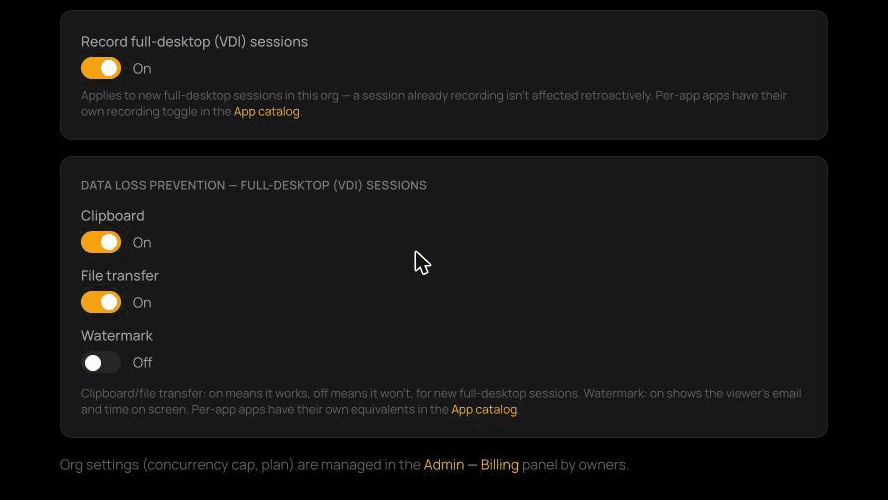
Copy and paste in both directions, upload files into the application, and drag and drop between the browser and the app.
Clipboard and file transfer can be switched off per app or organization. See Data protection.
Pause and capture
Pause streaming when a viewer steps away to save bandwidth, and capture a screenshot of the session.
Tuned per app
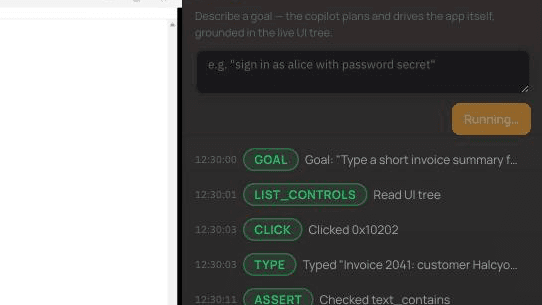
Set image quality and tile format (WebP or JPEG) per application to balance sharpness against bandwidth.
Viewer settings
Mouse-wheel step and direction, cursor visibility, and an on-screen keyboard for touch devices (best effort).
Related guides
How to run a Windows app in a browser
Windows software can't run natively in a browser, but it can run on a Windows host and stream to one. How that works, what you need, and where it falls short.
6 min readWhat is Windows application streaming?
Application streaming delivers a running app to a user's screen without installing it. What it is, how it differs from virtualization and remote desktop, and when to use it.
8 min readApplication streaming vs VDI: how to choose
A practical comparison of streaming individual Windows apps and running full virtual desktops: users, cost drivers, management, security and when each fits.