Hosts and enrollment
5 min read
A host is a Windows machine that runs your applications and the Onscryn agent. Hosts are where your data lives, so it is worth understanding how they join your organization and what the dashboard lets you do with them.
What a host is
A host is a Windows machine running the Onscryn agent. Each user session runs under its own local Windows account on a host, and that account and its profile are removed, or scrubbed before reuse when warm pooling is on, once the session ends.
The agent connects outward to the control plane to register and report in. You can bring your own hosts, in your network or in a cloud you choose.
Enroll a new host
Open Admin, then Hosts, and choose Enroll a new host. The form asks for how long the token should stay valid, in minutes, and optionally a host id such as win-2. It then shows an enrollment token and an install command.
Run the install command on the Windows machine. The token is single-use, belongs to your organization, and is shown once. If it expires before you use it, create another. Tokens you have issued are listed under Enrollment Tokens, where you can see them and revoke one.
- Treat the install command as a credential until it has been used or has expired.
- A host enrolled with your token is bound to your organization.
Dedicated hosts and the shared pool
A host is either dedicated to one organization or part of the shared pool. When someone launches an app, Onscryn looks first at your dedicated hosts that are online and have capacity, then falls back to the shared pool if none do.
The shared pool is operated by Onscryn. Organization admins cannot claim shared-pool hosts. They can release a host their organization owns back to the shared pool.
If your data must stay on hosts you control, tell us. We will go through the options with you.
Draining, releasing and removing
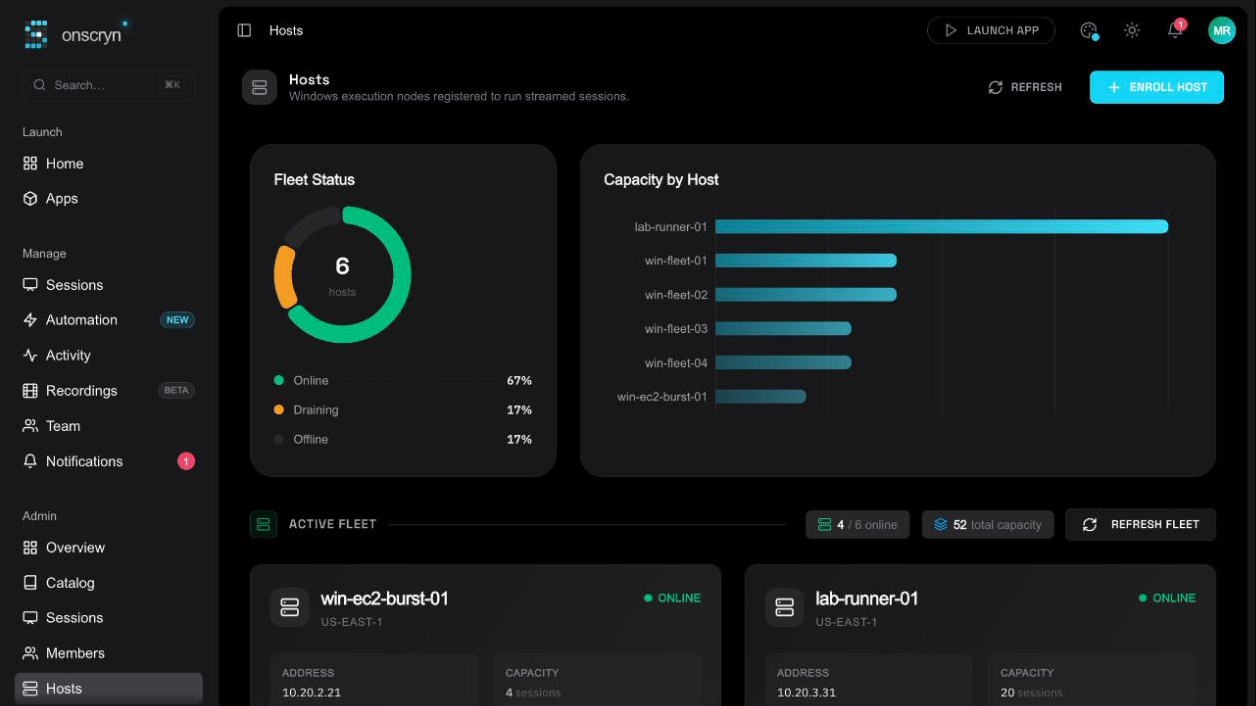
The Hosts page shows fleet status, capacity by host, compute class and connectivity. For each host you own, the actions are:
- Drain host: stop new sessions from landing on it while the ones running finish.
- Release host: return it to the shared pool.
- Remove host: take it out of your fleet.